

The challenges
A designer finishes a style in CLO. The render looks great. The work is done, you might think. This is where for many the least interesting part starts: saving, renaming files, and uploading them into different systems.
This is one example from one brand running thousands of styles a year. But it’s not limited to that brand, or to teams working in 3D. We see the same pattern everywhere - whether you design in Illustrator, with AI, or in CLO. Digital design tools create excellent output, but how much your company benefits from it fully depends on how well your tools and data are connected.
Turn tools into a workflow
There is no one-size-fits-all. Every team has a different calendar, different naming conventions, different places to store assets, and yes, different habits. To fully understand where automation can have the most impact with the least effort, we measure the workflow. We follow individual users, see where they click, what tasks they do manually, and ask where they experience the most friction. That heatmap tells us where we can have most impact.
FOCUS
As you might already sense, most of the friction sits in the handover between tools. That’s where users experience the most disruption. And honestly, why would a designer or merchandiser need to become an expert in naming conventions, render settings, or prompt writing?
One of the most powerful tools in our toolbox is FOCUS. It sits at the centre of the workflow and links tools based on brand milestones and context. At the point of saving a design from Illustrator, CLO, or any AI tool, the user gets a simple pop-up asking for the season, style data, and milestone. Based on your workflow, FOCUS takes over everything you would normally do manually. Saving, naming, rendering, combining AI and 3D, sending images and data to PLM or DAM. All in one click.
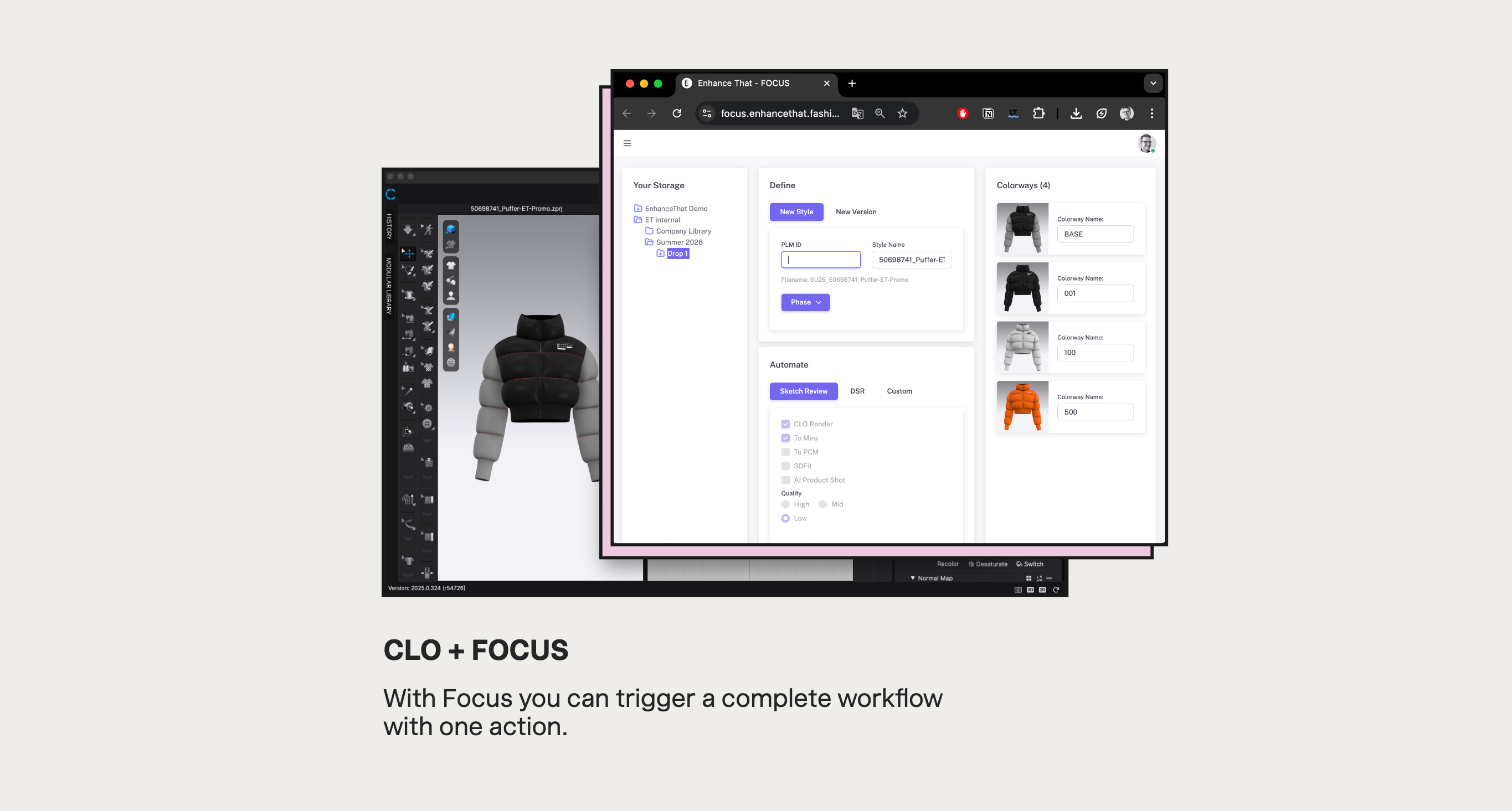
What got connected
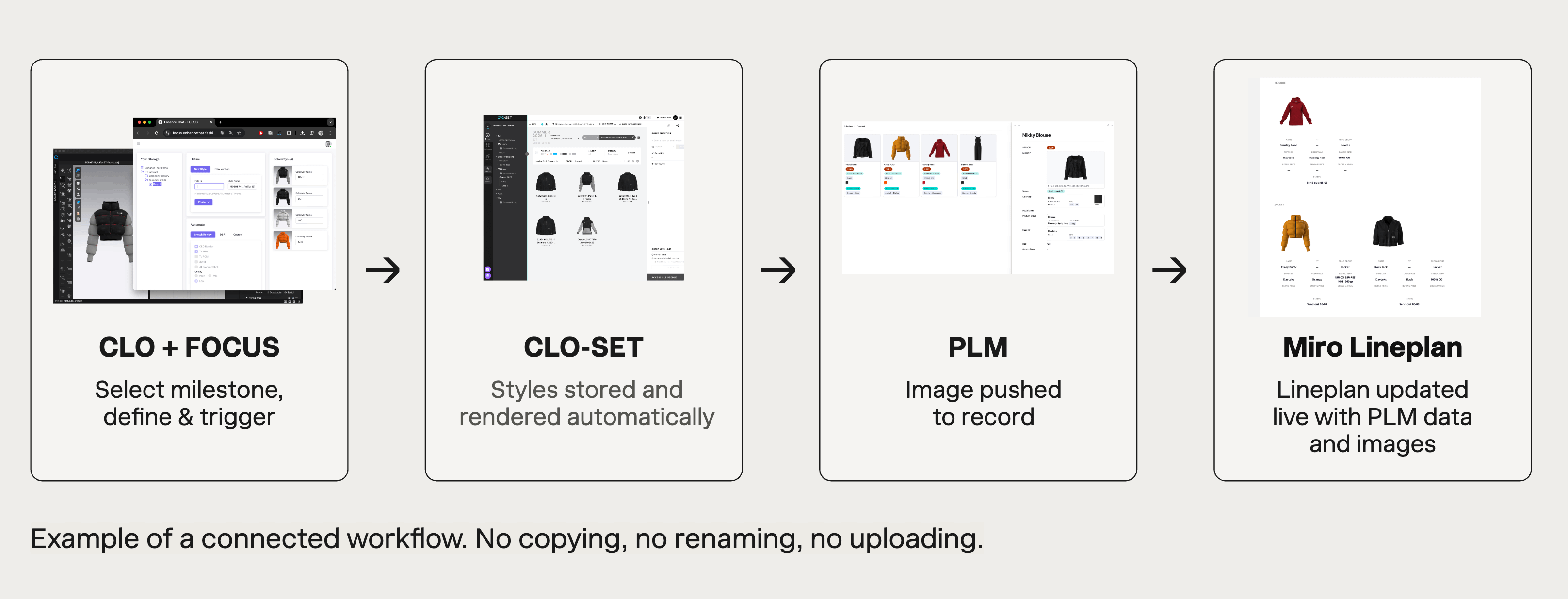
CLO feeds into FOCUS. FOCUS triggers CLOSET. CLOSET pushes to PLM. PLM syncs to Miro. The automation layer handles the data flow, formatting, enriching, and delivering to each tool with exactly the right context, every time.
No manual export or navigation required. And when you decide to change tools the automation can easily be adapted even without changing the user experience.
The impact
85% reduction in manual work. Not from replacing the tools. Not from buying something new. From connecting what was already there and removing the steps that shouldn’t exist. The designers didn’t change how they work in CLO. They just stopped doing everything that came after it.
This is what a workflow assessment gets you
A workflow assessment doesn’t only show you where you can have the most impact, it also saves you building integrations that won’t pay off. Our model has been developed and tested with large enterprise teams, and gets more reliable with every engagement. We map it before we build anything. That’s always the order.
First we find where time is lost. Then we identify what should connect. Then we build the automation that makes the manual work disappear.